Mailing
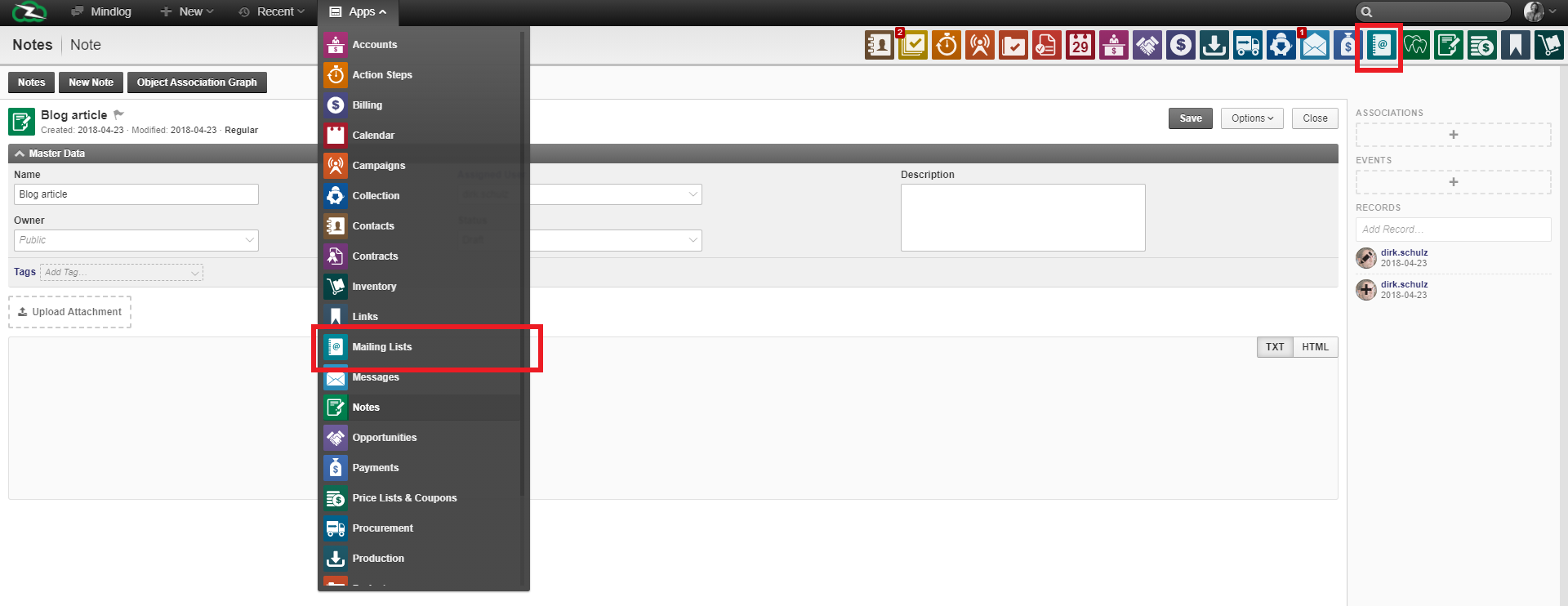
The ZeyOS mailing functionality is accessible by clicking on the agenda with a "@" logo in your apps.
Mailing lists are lists of individual email addresses from people with shared interest, shared work groups or subscribers to a newsletter. Its main advantage is that new messages are immediately distributed to the participants' mailboxes.
To start a mailing campaign you must first create a mailing list. A mailing list is simply a list of customers, prospects or partners that you want to reach with your campaign.
To create a mailing list simply click on the "New mailing list" button in the top left corner of your screen. Once this is done, you will have to fill out the details for your new mailing list before selecting the "participants". In the detail section, you will have to fill in the list's name, its sender, a description, but also assign it to a campaign, owner and user. "Campaign" allows you to assign the list to a campaign. Campaigns allow you to follow and organize a number of different marketing actions together. These details will not appear on the receiving end of the campaign. "Assigned user" enables you to define who is responsible for that list. Finally, "Owner" defines who has access to this list and can also the form of preconstructed groups (learn more: General concepts > Managing permissions).
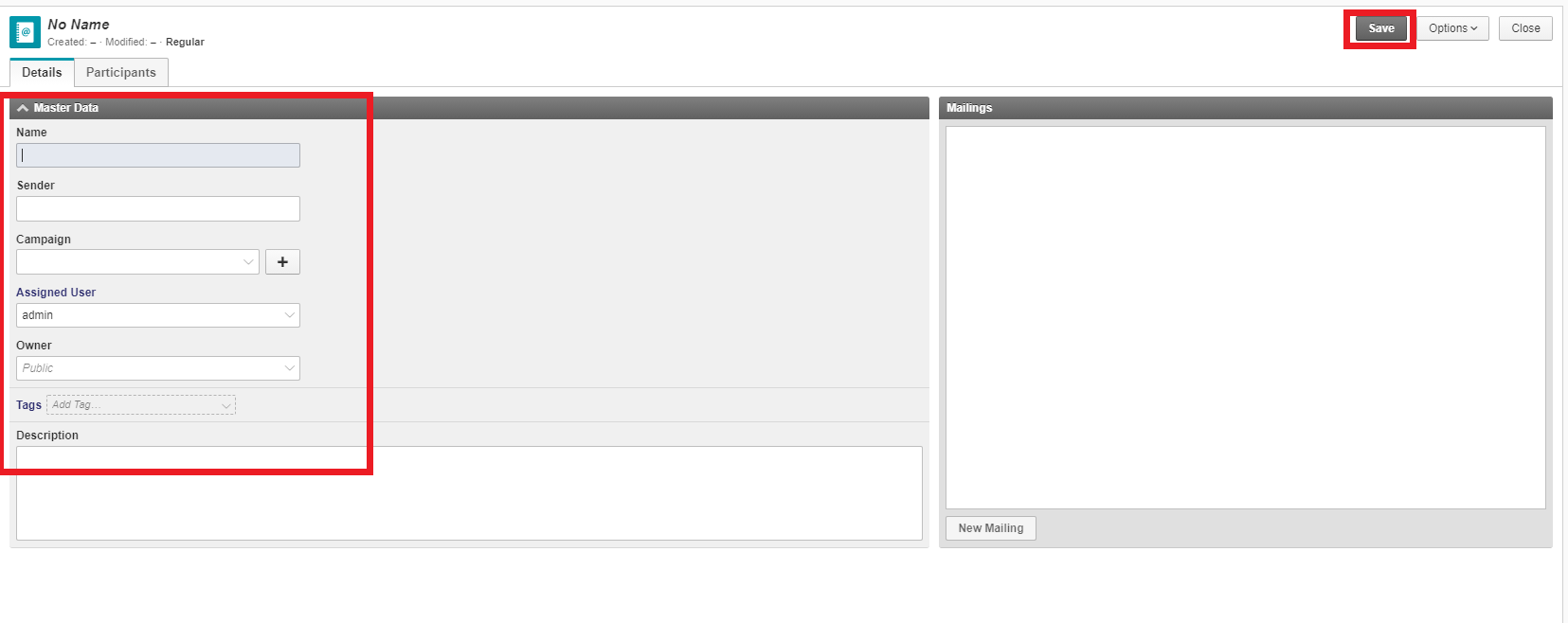
Once the details are filled click "Save" before moving on to the participants.
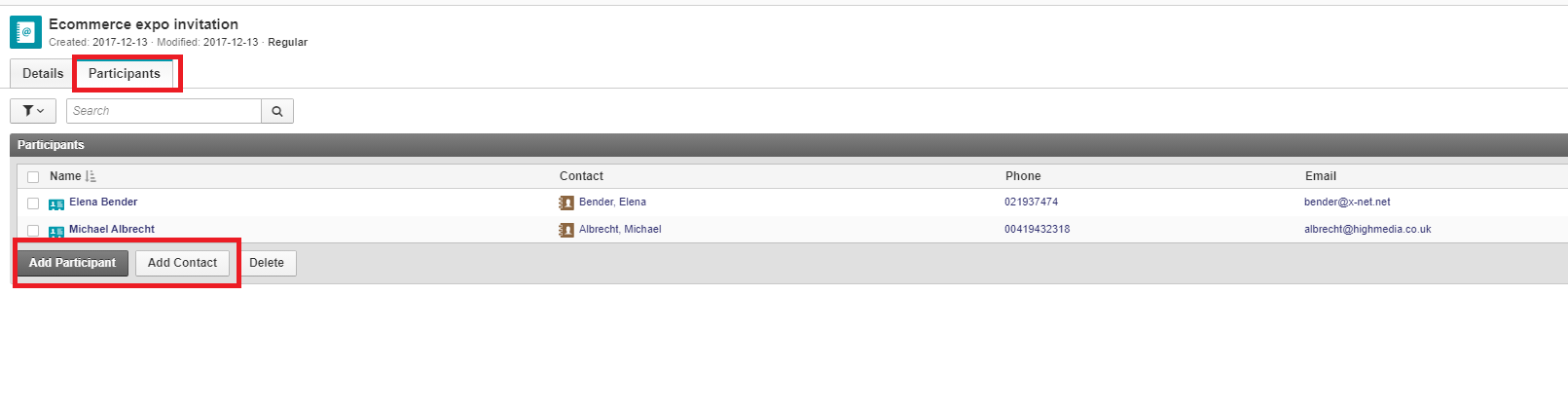
To add prospects to your mailing list first choose a mailing list, than click on the "participants" tab. This will bring you to the participants section of the mailing list. It is here that you will build your list. Click on the "add a participant" button and enter the participant's info to add him to your list. You can also add participants from your contact list by pressing "add contact" instead.
To see the emails you have sent to a specific list go back to that list's details. To do so, click on the list in your mailing menu. There, the right hand window called "mailings" shows all mails sent to that individual list.
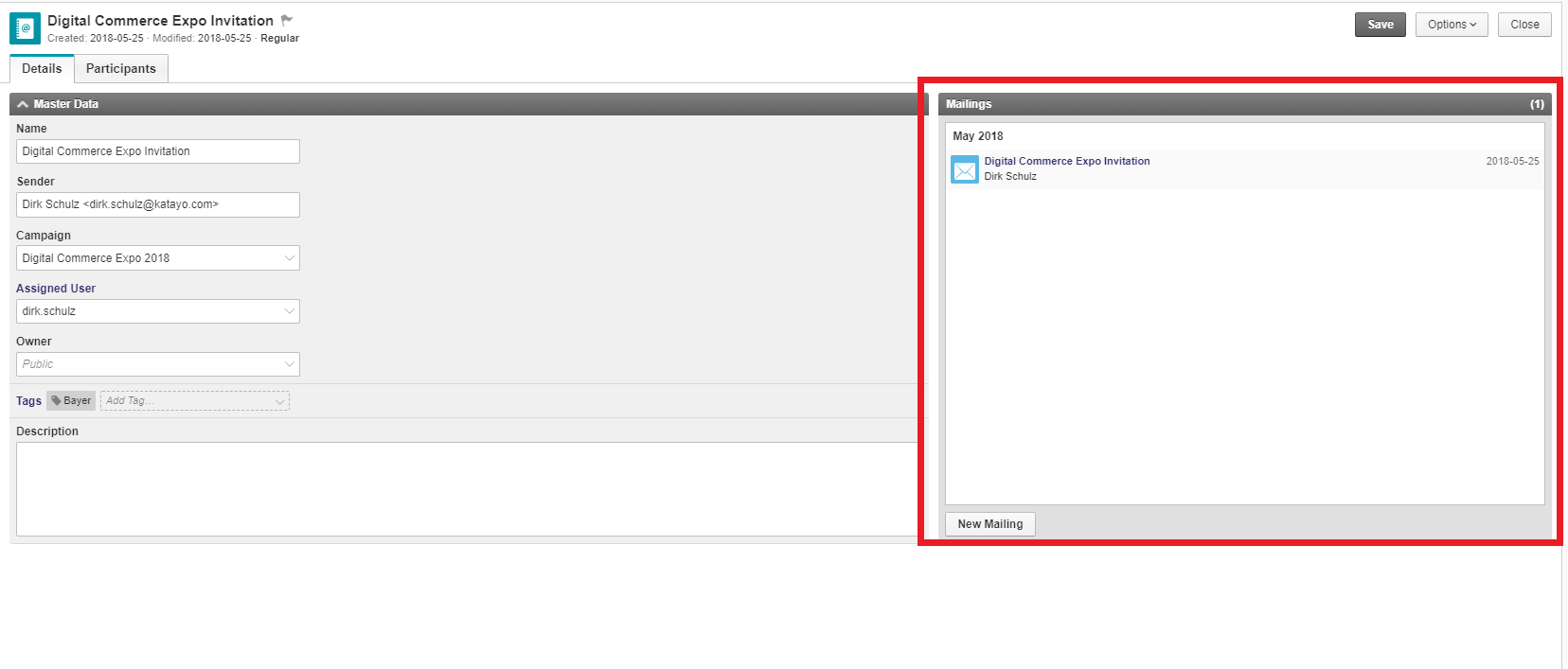
Press new mailing to write a mail that will be instantly available in participants' inboxes. Writing an email for a mailing list is exactly like writing an email directed to only one account. Please refer to the email section of our guide for a more in depth look.