Group Management
Gruppenverwaltung
Efficiently organize users and control access rights centrally
You’ll find Group Management in the same section as User Management. From there, you can create and edit user groups alongside individual accounts.
Creating a new group
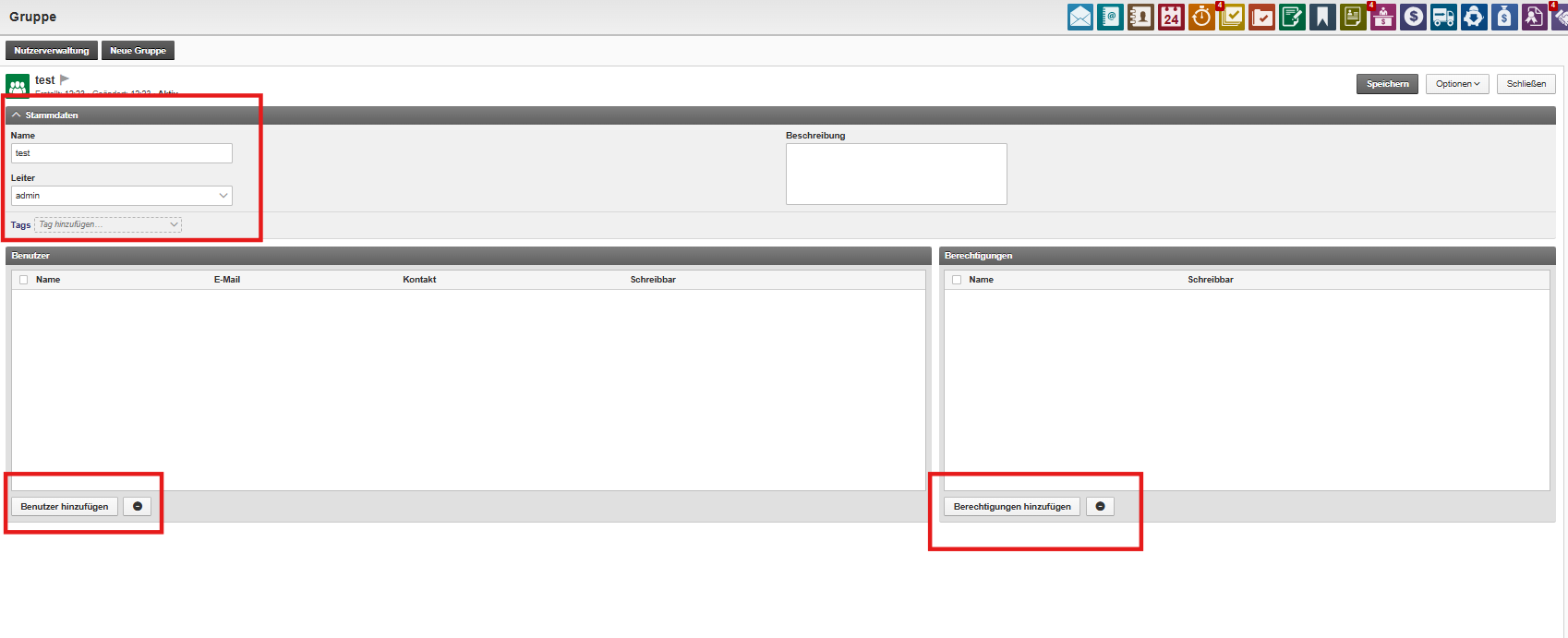
In the “New Group” menu, you can set up a new group by entering the following details:
Group name
Group leader By default, you're set as the leader, but you can assign any other user
Description (optional)
Tags for better classification
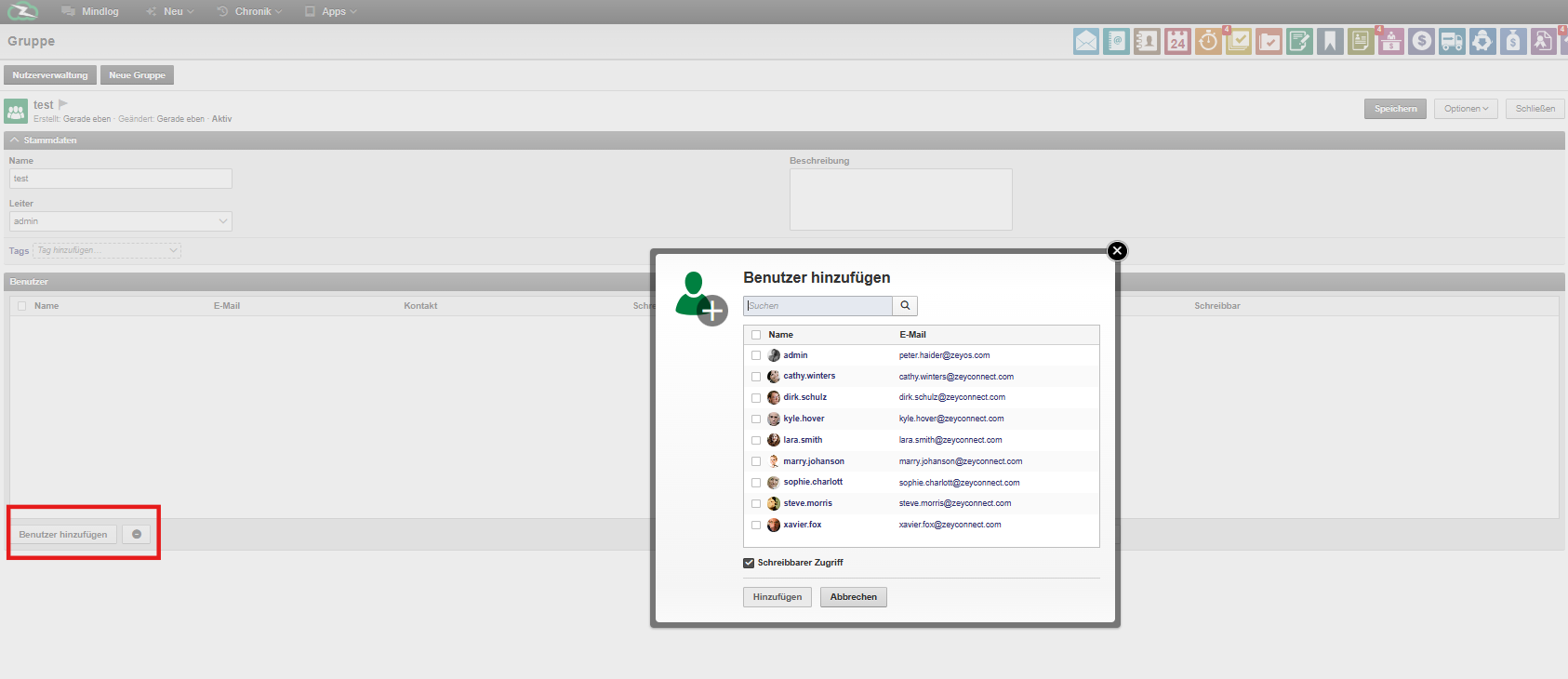
Adding users to a group
Once the group has been created, you can add members directly from the group view.
Setting permissions
Afterwards, define whether the group has read-only access or write permissions for specific areas or modules.
Additional options
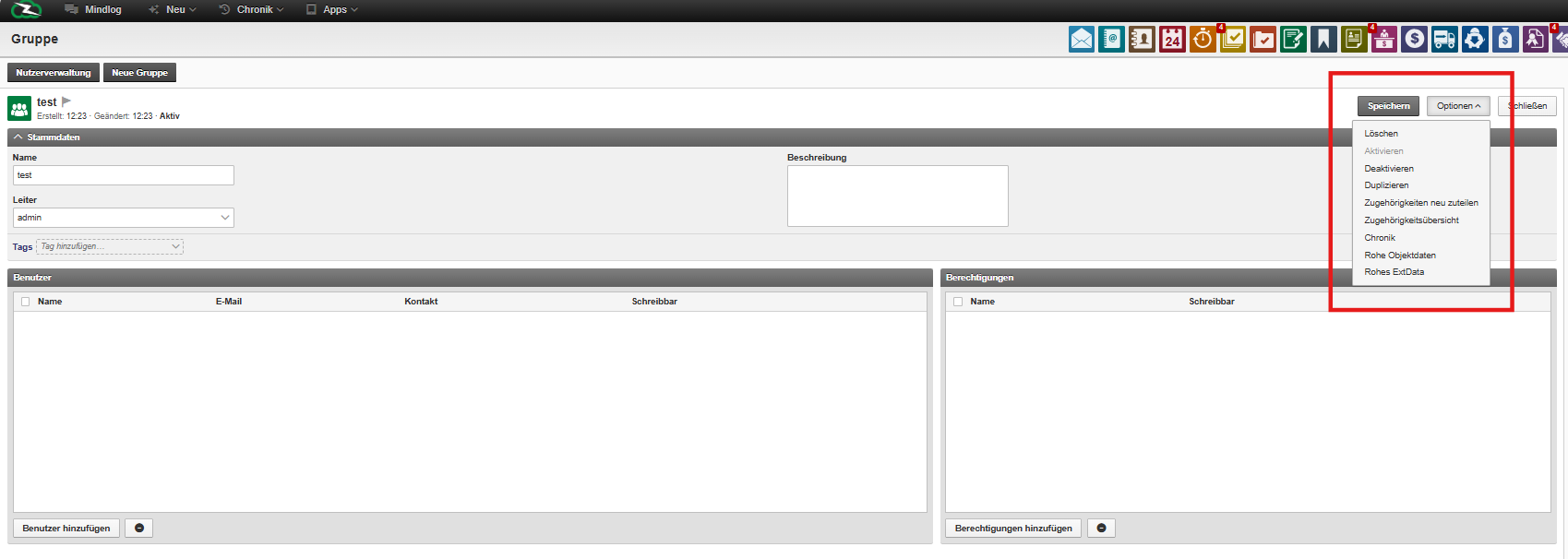
Each group also includes the following management features:
Delete or deactivate
Duplicate (including members and settings)
Change history: See who changed what and when
View raw data
Assign relationships to other groups (e.g. for subgrouping)
You can view and manage all group relationships in a comprehensive overview panel.
Data Field Extensions / Raw Ext Data
This feature lets you add custom fields to a group – such as cost centers, internal codes, or other specific info. These values can be included in reports and accessed via API.